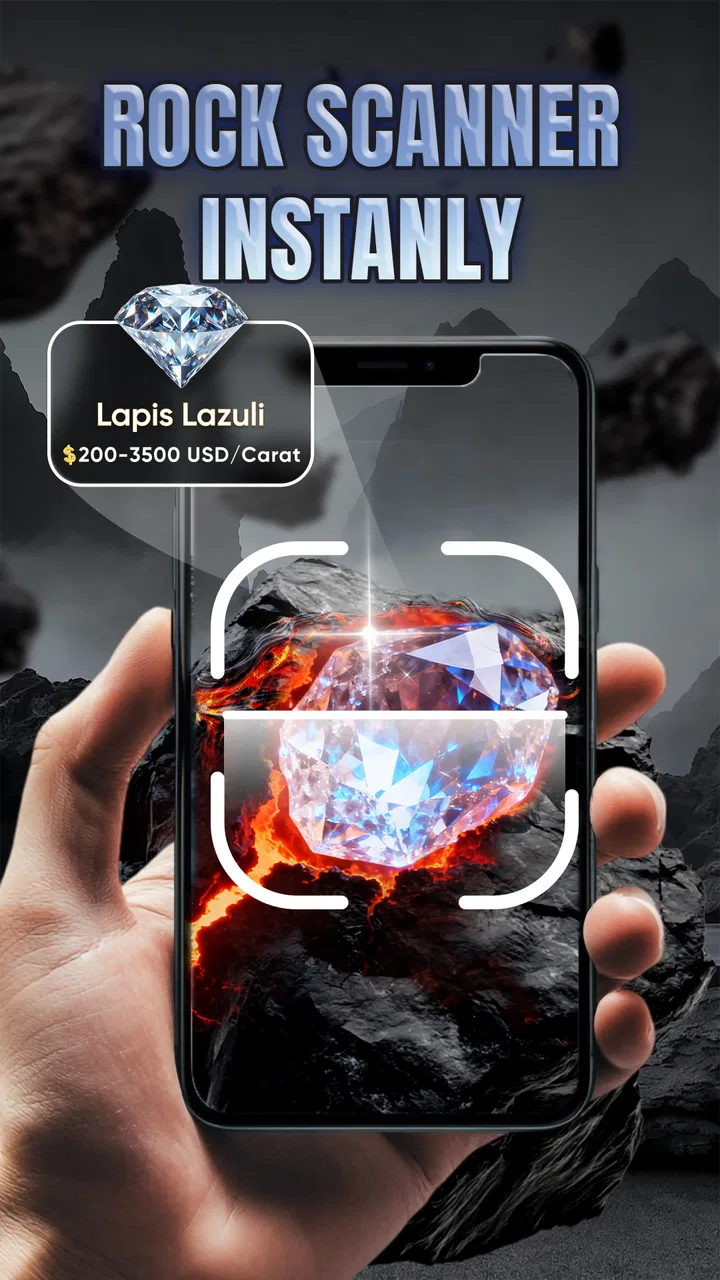
Rock Scanner: Stone Value
- 4.5
- Rating
- 100.00K
- Installs
- Free
- Price

 Analysis by App-foxy
I approached Rock Scanner: Stone Value as a learning tool first and a collecting aid second. Developed by Sentinel Dev, this free Education app is aimed at people who want a quick starting point when they find an unfamiliar rock, crystal, or mineral. Its appeal is easy to understand: take a closer look at a specimen, use the app to help identify it, and then explore what it might be worth. In my experience, that combination is more useful for organizing curiosity than for making a serious buying or selling decision.
The app has a 4.5 average from around 9.9 thousand ratings, with more than 100 thousand installs. Those figures suggest that it has found an audience among casual collectors, students, hikers, and people who simply enjoy examining interesting stones. It is free to install, rated for Everyone, and the current version is 1.1.7. The Android requirement is version 8.0 or later, so it remains accessible on many older devices.
My main takeaway is straightforward: this is a convenient first opinion, not a laboratory report. That distinction matters because a photograph can suggest a likely match while still missing details that separate similar minerals. The value feature deserves the same caution. A market estimate can be a useful prompt for research, but it should not be treated as a guaranteed sale price.
You May Also Like

 Blood Strike: 2.5 Anniversary
Blood Strike’s Loadouts Turn Every Drop Into a Tactical Gamble
A close look at Blood Strike’s custom loadouts: how fast access to signature weapons reshapes its battle royale rhythm, rewards preparation, and narrows the gap between fights.

 Pandora - Music & Podcasts
Pandora’s Music Is Easy to Start, but Harder to Recover
Pandora’s strength is its low-effort path from a seed to a station. Its weak spot is how much confidence it asks you to place in connection, setup, and quiet recovery.

 8 Ball Pool
 Is Built on Rivalries, Rematches, and Routine
A close look at the rivalries, rematches, shared routines, and unanswered safety questions that turn a quick pool match into a persistent mobile community.

 Samsung Music
’s Quiet Strength Is Playing What You Already Own
Its reach comes less from spectacle than from dependable access to a personal library. That simplicity is both the app’s strongest retention engine and its ceiling.

 AccuWeather: Weather Radar
AccuWeather Review: A Quick, Clear Forecast for Everyday Decisions
For everyday plans, the best forecast is the one you can understand quickly. AccuWeather makes rain timing, radar, and local conditions easy to act on, with a few trade-offs.

 Hill Climb Racing
Why Hill Climb Racing Still Turns Crashes Into One More Run
A tiny car, a bumpy hill and one more upgrade: Hill Climb Racing keeps resurfacing because its simple chaos makes every near-miss feel personal.
More From Our News Desk
View All News


How the app fits into a real collecting routine
I find a collecting routine works best when each scan becomes a small, repeatable investigation rather than a one-tap verdict. I start with a clear specimen photo, then note the find’s setting and keep any uncertain match provisional; that makes later comparisons much more useful. A consistent approach also helps me notice when lighting or surface condition may be driving a different result, which is worth considering before choosing the next tool.
A practical first step for uncertain specimens
The most natural use is simple. You find a stone, open the app, and try to identify it before searching through books, image results, or specialist forums. That saves time when you do not yet know the vocabulary needed to describe what you are holding. Instead of searching vague phrases such as “green shiny rock,” you can use the app’s result as a starting point for more focused reading.
I can see this being especially helpful during a walk or a family outing. A child may pick up a colorful pebble and ask whether it is a crystal. Rather than giving an overconfident answer, I would use the result to begin a conversation about color, texture, transparency, hardness, and where the specimen was found. The educational value is in the follow-up questions, not just the label on the screen.
Students can also use it when preparing a basic collection or classroom activity. A quick scan can help sort specimens into provisional groups before they are checked with a guide. That workflow is better than treating every result as final: identify first, compare second, and only then record the specimen in notes or a collection list.
What the value feature is actually good for
The market-value element is interesting because it connects identification with the practical side of collecting. It can help a beginner understand why two stones that look attractive may have very different levels of interest to buyers. It may also encourage users to learn about clarity, size, condition, locality, treatment, and presentation instead of assuming that color alone determines worth.
Still, I would use the estimate as a research cue rather than a price tag. A rough value can change substantially depending on whether a specimen is raw, polished, cut, damaged, unusually large, well documented, or correctly identified. Even a correct mineral name does not automatically establish commercial value. If you are considering a purchase or sale, compare the result with specialist references and ask an experienced dealer for an independent opinion.
That limitation is not a minor technicality. A mistaken identification can lead to a mistaken value, and a visually similar substitute may be common while the sought-after mineral is rare. The app is most useful at the beginning of that chain, where it helps you decide what deserves closer examination.
Three workflows that make the tool more useful
My preferred workflow would be to photograph the specimen in even daylight, clean only loose dirt without altering the surface, and capture more than one angle. A single dramatic close-up can hide the features that matter most. A second image showing the whole stone gives better context, while a side view can reveal layering, crystal shape, or a rough interior.
A second useful habit is to record where and how the specimen was found. The same-looking stone means something different when collected from a beach, a road cut, a landscaped garden, or a shop. Location does not prove identity, but it gives the app’s suggestion a sensible context. I would keep the original image and the location note together rather than relying on memory later.
The third is to treat uncertain results as a shortlist. If the app points you toward a few plausible possibilities, compare those candidates using a physical guide or a reputable mineral reference. Look for differences in luster, cleavage, hardness, streak, and crystal habit. This turns the app from an answer machine into a useful bridge between casual observation and proper identification.
Where it compares well with familiar alternatives
Compared with a printed field guide, the app is faster when you are outside and do not know which section to open. A book remains stronger for careful comparison because it lets you study descriptions, diagrams, and look-alike minerals without depending on a camera view. I would choose the app for triage and the book for verification.
Compared with a general image-search tool, a dedicated rock scanner keeps the activity focused on specimens rather than producing a wide mixture of photos, jewelry listings, and unrelated results. That focus is helpful for beginners. On the other hand, a broad search can expose you to specialist discussions and unusual examples that a compact app may not explain in depth.
Compared with asking a collector in an online community, the app is immediate and private in the ordinary sense of not requiring a public post. A community can provide richer judgment when you include several clear photographs and details about the find, but responses take time and may vary in quality. I would use both approaches when the specimen matters: the app for an initial direction, then a human review for anything unusual or potentially valuable.
Trust begins with what the app visibly lets you control
Because this tool works with photographs and potentially valuable discoveries, I would pay attention to every visible choice during setup and use. Before scanning a specimen, check what the app asks you to allow and whether those choices are clearly presented. I would avoid granting access that is unrelated to the task, and I would be especially careful not to include faces, home interiors, documents, labels, or distinctive locations in a specimen photo.
The important point is not to assume either safety or risk without evidence. Instead, I would judge the app by the controls that are actually shown on the device: permission prompts, account options, sign-in screens, deletion controls, and any explanation of how an image is handled. If the app offers a way to continue without creating an account, that is a meaningful convenience for casual use. If an account is requested, I would read the choices before proceeding rather than accepting them automatically.
That caution is particularly relevant for collectors. A photograph can reveal more than the stone itself. A unique display case, a shipping label, a house number, or a recognizable landscape may expose information you never intended to share. Cropping the image before scanning is a sensible habit whenever the specimen does not need its surroundings for identification.
Data-sensitive moments deserve a slower look
The most sensitive moment is naturally the image step. I would frame only the rock, use a plain background, and remove unrelated objects from view. This improves identification quality while also reducing the amount of accidental information in the image. It is a small change, but it gives the user more control over what leaves the phone or enters the app’s workflow.
The value feature creates another moment for care. If you are checking a stone connected to a purchase, insurance question, inheritance, or planned sale, avoid treating the scan as a private appraisal unless the app clearly explains its process and limits. Do not upload invoices, certificates, seller messages, or personal correspondence alongside the specimen. Those documents are not necessary for a first identification and may contain details that are much more sensitive than the mineral itself.
I would also review any account or history screen before saving repeated scans. A collection of images can reveal where you travel, what you own, or which objects you consider important. The app may be perfectly convenient for one-off checks, but long-term cataloging deserves a deliberate decision about what is stored, how it can be removed, and whether an account is genuinely necessary.
Free access, optional spending, and user choice
The app is free to download, which makes it easy to test on a few ordinary specimens before deciding whether it belongs in your routine. In-app purchases range from $2.99 to $15.99 per item. I would not pay immediately based on the promise of discovering a valuable stone. First, I would check whether the free experience gives sufficiently useful identification guidance and whether paid functions solve a problem I actually have.
This is also where expectations matter. Someone who scans rocks occasionally may find the free entry point enough. A dedicated collector may be more willing to pay for extra convenience, but only after understanding exactly what each purchase provides. I would look for clear descriptions, visible confirmation screens, and a straightforward way to cancel or avoid an unwanted transaction through the device’s normal store controls.
The age rating of Everyone makes the app suitable for family learning, but younger users still benefit from adult guidance around purchases, photographs, and location details. I would let a child explore the identification side while keeping spending controls with an adult. That preserves the educational fun without turning an exciting find into an accidental purchase.
Important limits beginners should understand
Camera-based identification is affected by lighting, focus, reflections, dirt, and the condition of the specimen. A polished stone may look very different from a rough fragment of the same material. Tumbled pieces also lose the surface clues that help distinguish minerals. If the result changes after you retake the image, that is a sign to slow down rather than choose the answer that sounds most impressive.
Color is another trap. White balance can shift a blue stone toward gray, while warm indoor lighting can make a brown mineral appear orange. Metallic luster and glassy reflections can also confuse a camera. For better results, I would use diffuse natural light, avoid flash glare, and place the sample on a neutral surface. These steps are not guarantees, but they reduce avoidable errors.
I would skip the app as a sole authority when the identification has legal, financial, scientific, or safety consequences. A collector selling a supposedly rare specimen needs documentation and expert confirmation. A student submitting a formal report should cite a proper reference rather than presenting an app result as proof. Someone handling an unknown material should also avoid touching, crushing, or testing it casually just because the app suggests a harmless mineral.
Who will appreciate it most
I think the strongest audience is the curious beginner who wants a faster way to move from “What is this?” to “What should I learn next?” It also suits families, classroom introductions, hobbyists sorting a new batch of finds, and travelers who want to identify specimens before deciding whether to keep researching them.
The app is less suitable for a professional gemologist, an experienced mineralogist, or a dealer who needs defensible identification. Those users already depend on physical tests, specialist references, provenance, and expert networks. A quick scan may still be convenient, but it will not replace the evidence their work requires.
I would also hesitate to recommend it to someone who mainly wants a detailed digital collection database. Its central appeal is recognition and value exploration, not necessarily long-term catalog management. If your priority is tracking acquisition dates, locations, measurements, photographs, certificates, and ownership records, a dedicated cataloging solution may fit better.
Device, version, and everyday expectations
Rock Scanner: Stone Value was released on May 28, 2025, and Sentinel Dev lists version 1.1.7 as the current version. The Android requirement of 8.0 or later is reasonable for users with older phones, although camera quality will still depend heavily on the device itself. A newer phone with better focus and image processing may produce more useful scans than an older model running the same app.
I would keep the app updated through the normal store process, particularly because camera behavior, purchase screens, and permission handling can change between releases. After an update, it is worth glancing at the permission page again instead of assuming that every choice remains exactly as before. That is a good habit for any image-based tool, especially one used around personal collections.
My cautious verdict
I enjoyed the idea of using this app as a pocket-sized first guide. It lowers the barrier to learning mineral names, gives a casual find a clear next step, and adds a value angle that can motivate users to investigate the market more thoughtfully. The best results come when I use it to form a hypothesis, then confirm that hypothesis with observation and reliable references.
Its weaknesses are tied to the same convenience that makes it attractive. A photograph cannot reveal every physical property, and a value estimate cannot account for every factor that affects a real transaction. The app also deserves careful handling around images, accounts, permissions, and purchases: use only the choices you understand, crop out personal context, and never upload documents that are not needed for identification.
My recommendation is to try it as an educational starting point, not as an authority. If you enjoy collecting casually, want help naming an unfamiliar stone, or need a quick prompt while outdoors, it can earn a place on your phone. If you need certified identification, dependable appraisal, detailed collection records, or professional-grade evidence, pair it with a specialist rather than relying on it alone.
FAQs for Rock Scanner: Stone Value
01What is Rock Scanner: Stone Value and how does it work?
Rock Scanner: Stone Value is an innovative app designed for geology enthusiasts and professionals. It utilizes advanced image recognition technology to identify and evaluate the value of various stones and minerals. By simply taking a photo of the stone, the app provides detailed information about its composition, rarity, and estimated market value.
02Is Rock Scanner: Stone Value suitable for beginners in geology?
Absolutely! Rock Scanner: Stone Value is designed to be user-friendly and accessible to both beginners and experts. The app offers a comprehensive guide and tutorials for those new to geology, making it easy to learn about different stones and minerals. It's a great tool for anyone looking to deepen their understanding of geology.
03Does Rock Scanner: Stone Value require an internet connection?
Yes, Rock Scanner: Stone Value requires an internet connection to access its extensive database and provide accurate identifications. However, once the stone is identified, users can download information for offline access, allowing them to review details and learn more even without an active connection.
04How accurate is the stone identification feature of Rock Scanner: Stone Value?
The app boasts high accuracy due to its advanced image recognition algorithms and regularly updated database. While it provides reliable information, users should note that environmental factors and lighting conditions can affect results. For critical analyses, cross-referencing with professional geological resources is recommended.
05Are there any in-app purchases or subscription fees in Rock Scanner: Stone Value?
Rock Scanner: Stone Value offers a free version with basic features. However, users can opt for premium subscriptions for advanced functionalities, such as detailed analyses, historical data, and ad-free experiences. The app provides several subscription plans to suit different user needs, enhancing the overall utility of the application.
Pros
- User-friendly interface for easy navigation
- Accurate scanning and identification of rocks
- Extensive database of minerals and stones
- Offline mode available for remote locations
- Regular updates with new features and data
Cons
- Requires a stable internet connection initially
- Large app size may impact storage space
- Limited language support currently available
- Some features locked behind a paywall
- Occasional glitches in image processing

Rock Scanner: Stone Value
Gallery